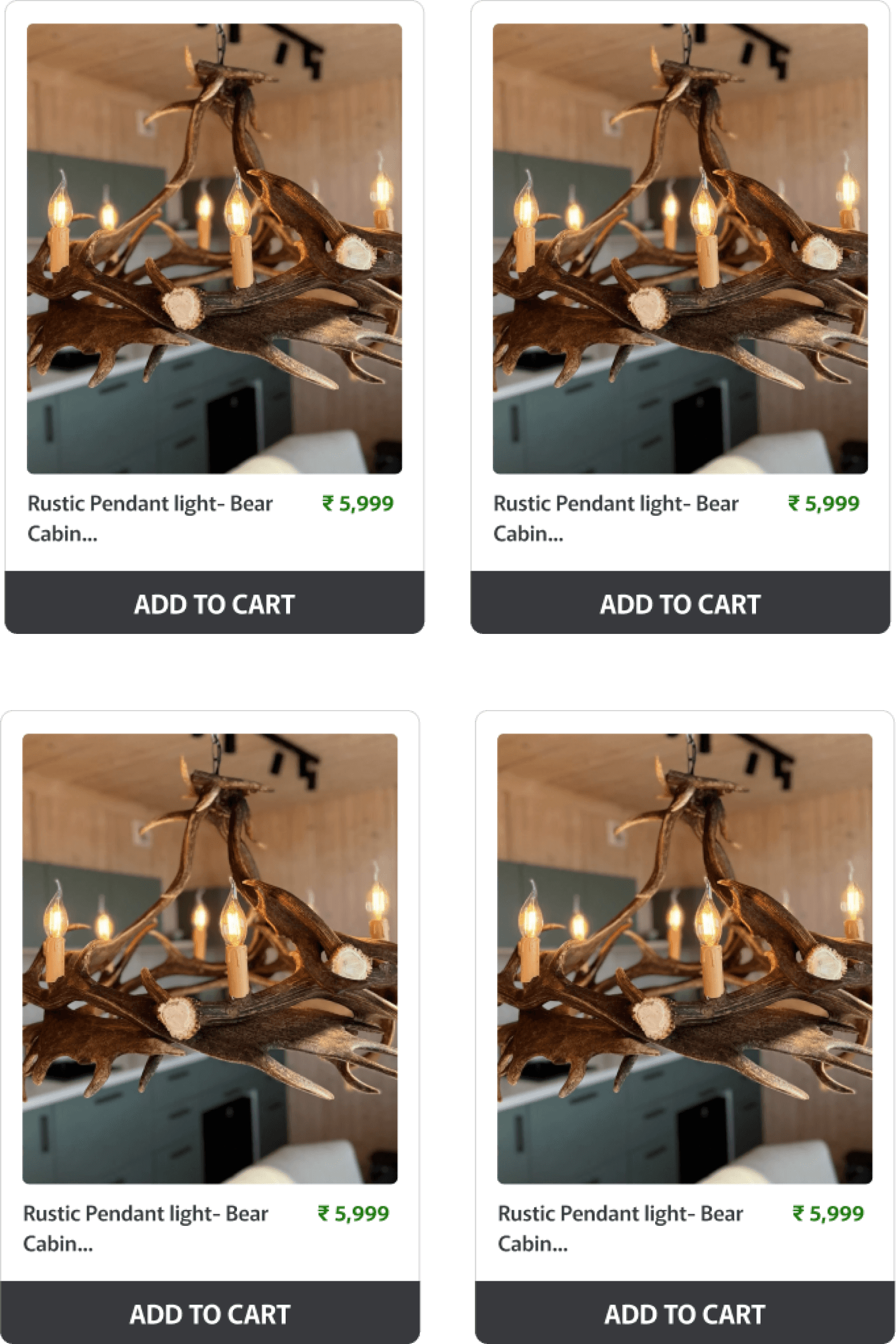
Grid
Two products a row, image first. The fastest way for a buyer to scan a large range and spot what they want.
- Best for big catalogues
- Easy side-by-side comparison
- Image does the selling
Add a product once, then put it in as many catalogues as you need — one for a particular buyer, one for Diwali, one for everything under ₹500. Each opens on a phone from a single shared link.
Your catalogues
One product library, cut however you sell
Add a product once — it appears in every catalogue you place it in.
Example of the catalogue list.
Most businesses do not have one catalogue. They have a different set of products for a wholesale buyer than for a walk-in customer, a festive range that matters for six weeks, and a regular who only ever asks for two categories. Keeping that in PDFs means maintaining the same product in five files and re-sending all of them whenever a price moves.
Catafy separates your products from your catalogues. You maintain one product library — images, videos, variants, stock and pricing — and then assemble catalogues out of it: by buyer, by theme, by price range, by location, by season, by B2B or B2C. A product placed in four catalogues is still one product, so a price change lands everywhere at once.
Every catalogue is a link. Send it on WhatsApp and it opens as a proper mobile store — searchable, with a cart and checkout behind it — not a 40 MB file a buyer has to download and scroll through.
Pick the layout that suits the range. A jewellery collection and a 400-item hardware list do not want to be browsed the same way — and you can set a different layout per catalogue.
Two products a row, image first. The fastest way for a buyer to scan a large range and spot what they want.
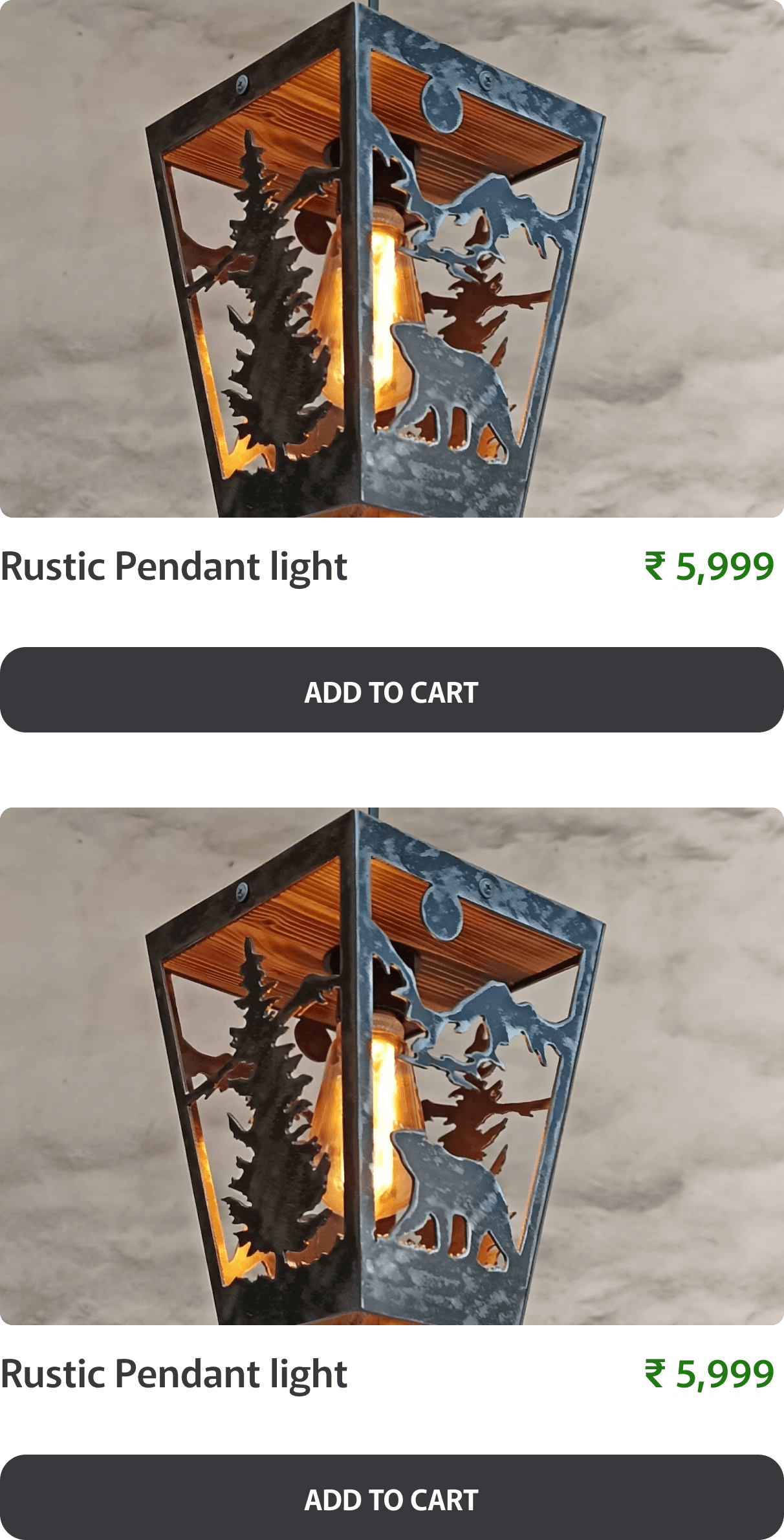
One product at a time, large. Gives a premium range the room it needs and leaves space for detail.
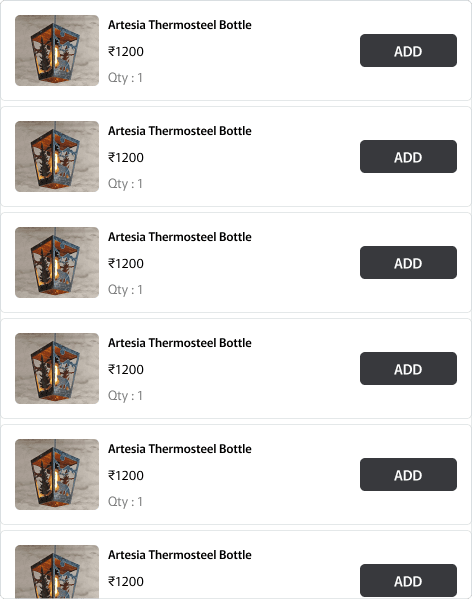
A compact row per product. Built for repeat buyers who know the range and want to place an order quickly.
A catalogue made for one customer, carrying their name — the products you want that particular buyer to see, and nothing else.
Diwali, wedding season, back-to-school. Build it once, share it while it matters, and keep it for next year.
Group by what a buyer can spend — everything under ₹500, or your premium line — so they stop scrolling past things they will not buy.
Wholesale rates and MOQ for your dealers, retail pricing for everyone else, out of the same products.
A Mumbai range, an export range. Useful when stock, pricing or demand differs by market.
A catalogue of what is on discount right now — the quickest thing to send when you want to move stock.
Cut by colour or size when that is how buyers think — all size XL, or everything available in gold.
A catalogue tied to a month or a season, so what you shared in March does not keep circulating in July.
Photos, videos, variants, stock and pricing go into your product library — the single place anything is edited.
Name it, pick its layout, and pull in the products that belong in it. A product can sit in as many catalogues as you like.
Leave it open, or make it private and approve buyers — with the price list that applies to their group.
Send it on WhatsApp, put it in your bio, or print it as a QR code. It opens as a mobile store with a cart behind it.
As many as your business needs — a catalogue is just a selection from your product library, so creating one costs you nothing beyond choosing what goes in it.
No. Products live once. Change a price, a photo or the stock position in your product library and every catalogue that contains that product reflects it immediately.
Yes. Price lists are assigned per customer group, so a distributor and a retailer can open the same catalogue and each see their own rates.
A PDF is a snapshot — it goes stale the moment a price or stock position changes, it cannot be searched easily on a phone, and a buyer cannot order from it. A Catafy catalogue is a live link with search, a cart and checkout, and it updates itself when your products change.
Yes. Products carry images and videos, which matters for anything whose fall, shine or movement is part of the sell — fabric, jewellery, toys.
Yes. Layout is a per-catalogue setting, so a premium collection can use the magazine layout while a 400-item reorder list uses the list layout.
No. A catalogue opens in any phone browser from the link. If you also want your own branded app, that is available separately and runs on the same catalogues.
Yes. Each catalogue can be public, semi-private with specific numbers blocked, or private with buyers approved by you.
Our experts will guide you on how to use Catafy for your specific business — completely free, no strings attached.
15-minute call
WhatsApp, phone or Google Meet — your pick.
Hindi or English
Talk to a real Catafy team member, not a bot.
Set up together
We build your first catalogue with you on the call.
No pressure
Free, no card, and you keep the catalogue either way.